
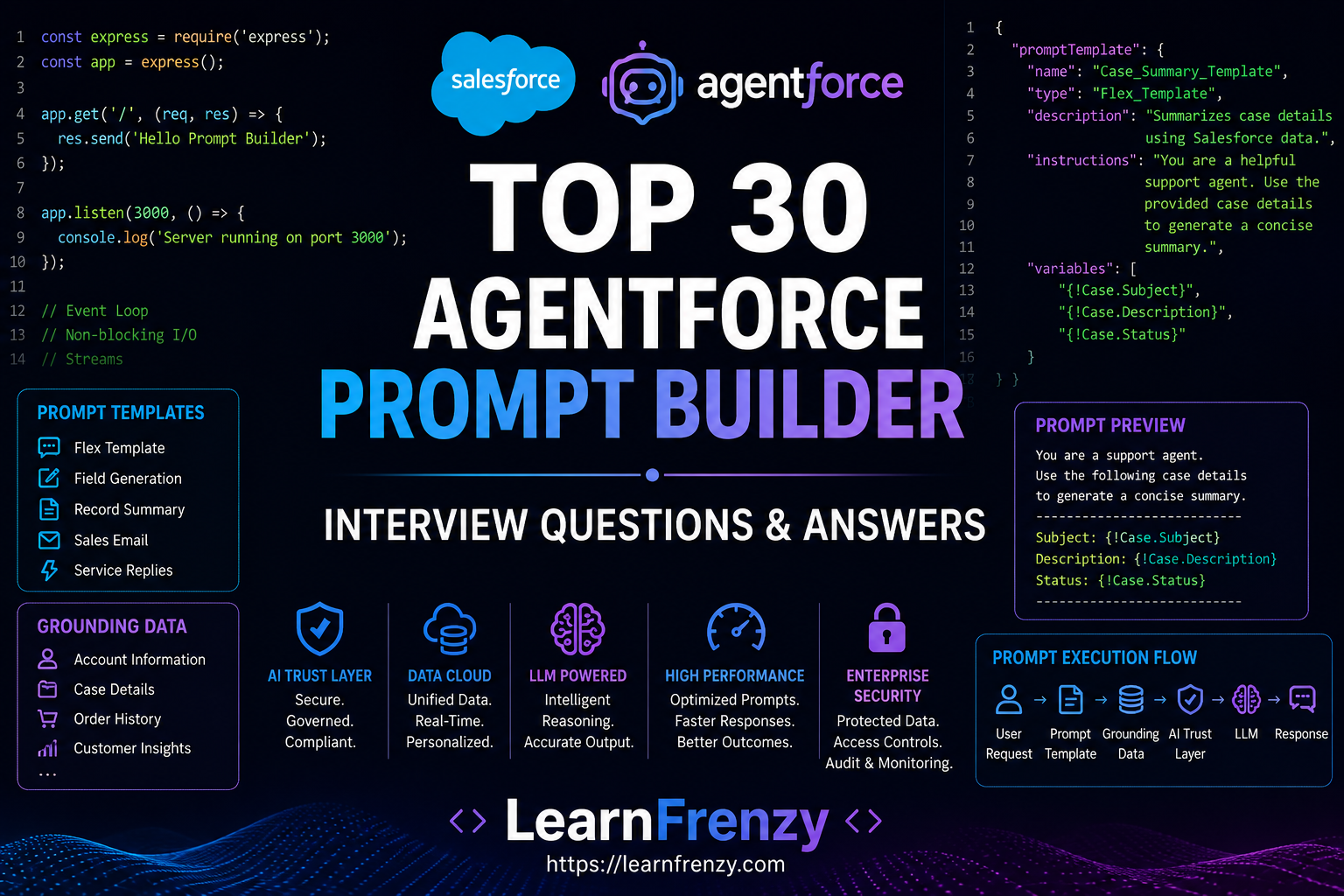
As Artificial Intelligence becomes a core part of modern Salesforce solutions, Prompt Builder has emerged as one of the most important tools within the Agentforce ecosystem. Prompt Builder enables organizations to create, manage, test, and optimize AI prompts that guide the behavior of generative AI applications while ensuring security, consistency, and business relevance.
Whether you're building customer support agents, sales assistants, knowledge management solutions, service automation workflows, or intelligent enterprise applications, Prompt Builder plays a critical role in determining how effectively AI responds to user requests.
Unlike traditional automation approaches, Prompt Builder allows developers and administrators to dynamically generate prompts using Salesforce records, Data Cloud information, Flow variables, Apex outputs, and business-specific instructions. This enables organizations to create highly personalized, context-aware, and accurate AI experiences.
As Agentforce adoption continues to grow, Salesforce professionals are increasingly expected to understand Prompt Builder concepts such as Prompt Templates, Grounding, Dynamic Variables, AI Trust Layer, Prompt Engineering, Data Cloud Integration, and Prompt Governance.
In this comprehensive guide, we'll explore the Top 30 Salesforce Agentforce Prompt Builder Interview Questions & Answers covering beginner, intermediate, and advanced concepts. Whether you're preparing for a Salesforce AI Specialist certification, an Agentforce implementation project, or a technical interview, these questions will help you build a strong foundation.
What You'll Learn
- Prompt Builder Fundamentals
- Prompt Templates
- Grounding Techniques
- Dynamic Variables
- Flex Prompt Templates
- Field Generation Templates
- Record Summary Templates
- AI Trust Layer Integration
- Prompt Engineering Best Practices
- Enterprise Prompt Governance
What is Prompt Builder?
Prompt Builder is a Salesforce tool that allows administrators and developers to create reusable AI prompts that generate context-aware responses using Salesforce data and Large Language Models (LLMs).
It provides a declarative way to control how AI behaves while ensuring responses remain aligned with business requirements and security standards.
Prompt Builder is Salesforce's prompt management platform used to create, test, and optimize AI prompts for Agentforce, Einstein Copilot, and Generative AI applications.
Why is Prompt Builder Important?
| Benefit | Description |
|---|---|
| Consistency | Standardized AI Responses |
| Personalization | Uses Salesforce Data Context |
| Security | Works with AI Trust Layer |
| Scalability | Reusable Across Applications |
| Accuracy | Supports Grounding |
| Governance | Centralized Prompt Management |
Core Components of Prompt Builder
| Component | Purpose |
|---|---|
| Prompt Template | Reusable AI Instructions |
| Grounding | Provides Trusted Business Data |
| Dynamic Variables | Inject Runtime Data |
| Prompt Preview | Testing Environment |
| AI Trust Layer | Security & Compliance |
| Data Cloud | Enterprise Data Context |
Prompt Builder Architecture
User Request
      │
      ▼

Prompt Template
      │
      ▼

Grounding Data
      │
      ▼

Dynamic Variables
      │
      ▼

AI Trust Layer
      │
      ▼

Large Language Model
      │
      ▼

Generated Response
Prompt Builder vs Traditional Automation
| Traditional Automation | Prompt Builder |
|---|---|
| Rule Based | AI Driven |
| Static Logic | Dynamic Responses |
| Limited Personalization | Context-Aware Outputs |
| Hardcoded Behavior | Prompt Controlled Behavior |
| Minimal Language Generation | Advanced Natural Language Generation |
Prompt Builder Use Cases
- Customer Service Responses
- Sales Email Generation
- Case Summarization
- Knowledge Article Creation
- Product Recommendations
- Marketing Content Generation
- Customer Insights
- Agentforce Agent Instructions
Prompt Builder Interview Roadmap
| Section | Topics Covered |
|---|---|
| Q1 – Q10 | Prompt Builder Fundamentals |
| Q11 – Q20 | Prompt Templates & AI Trust Layer |
| Q21 – Q30 | Advanced Prompt Engineering & Governance |
📚 Topics Covered in This Guide
Part 1: Prompt Builder Fundamentals (Q1–Q10)
- Prompt Builder Basics
- Prompt Templates
- Grounding
- Dynamic Variables
- Prompt Architecture
- Business Benefits
- AI Context Management
Part 2: Intermediate Prompt Builder (Q11–Q20)
- Flex Prompt Templates
- Field Generation Templates
- Record Summary Templates
- Sales Email Templates
- Prompt Testing
- Prompt Preview
- Data Cloud Integration
- AI Trust Layer
Part 3: Advanced Prompt Builder (Q21–Q30)
- Prompt Engineering
- Prompt Optimization
- Hallucination Prevention
- Prompt Builder with Flow
- Prompt Builder with Apex
- Enterprise Governance
- Performance Optimization
- Real-World Implementations
💡 Interview Preparation Tip
Modern Agentforce interviews often focus on Prompt Templates, Grounding, Dynamic Variables, AI Trust Layer, Data Cloud Integration, and Prompt Engineering Best Practices. Understanding how prompts influence AI behavior is more valuable than simply memorizing definitions.
Part 1: Prompt Builder Fundamentals (Q1–Q10)
Let's begin with the most commonly asked Salesforce Agentforce Prompt Builder interview questions covering the foundational concepts every Salesforce AI professional should understand.
Prompt Builder Basics, Prompt Templates, Grounding, Dynamic Variables, Benefits, and Architecture.
Q1. What is Prompt Builder in Salesforce?
Answer:
Prompt Builder is a Salesforce Generative AI tool that enables administrators and developers to create, manage, test, and optimize prompts used by AI applications such as Agentforce and Einstein Copilot.
It helps organizations generate intelligent, contextual, and personalized responses using Salesforce data and Large Language Models (LLMs).
Example:
Customer asks:

What is the status
of my order?

Prompt Builder can:

• Retrieve order data
• Provide context
• Generate response
Prompt Builder is not an AI model itself. It is the framework that helps Salesforce AI generate accurate and business-specific responses.
Q2. Why is Prompt Builder important?
Answer:
Without Prompt Builder, AI responses can become inconsistent, generic, and disconnected from business data.
Prompt Builder provides:
- Business Context
- Personalization
- Response Consistency
- Data Grounding
- Security Controls
- Prompt Governance
| Without Prompt Builder | With Prompt Builder |
|---|---|
| Generic Responses | Contextual Responses |
| Limited Personalization | Personalized Outputs |
| No Business Context | Business-Aware Responses |
| Inconsistent Results | Controlled Responses |
Q3. What is a Prompt Template?
Answer:
A Prompt Template is a reusable prompt structure that defines how AI should generate responses.
Prompt Templates contain:
- Instructions
- Business Context
- Variables
- Grounding Data
- Expected Output Format
Example:
You are a customer
service representative.

Use Salesforce data
to answer questions.

Provide professional
and concise responses.
Templates ensure consistent AI behavior across multiple use cases.
Q4. What are the different types of Prompt Templates?
Answer:
Salesforce provides several Prompt Template types designed for different business scenarios.
| Template Type | Purpose |
|---|---|
| Flex Template | Custom Use Cases |
| Field Generation | Generate Field Values |
| Record Summary | Summarize Records |
| Sales Email | Generate Sales Emails |
| Service Replies | Customer Responses |
Each template type is optimized for specific AI-powered business processes.
Flex Prompt Templates are the most flexible and frequently used template type in Agentforce implementations.
Q5. What is Grounding in Prompt Builder?
Answer:
Grounding is the process of providing trusted Salesforce data to the AI model before generating a response.
Grounding helps prevent hallucinations and improves response accuracy.
Grounding Flow:
User Question
      │
      ▼

Retrieve Salesforce Data
      │
      ▼

Provide Context
      │
      ▼

Generate Response
Example:
Customer:

What is my order status?

Prompt Builder:

Retrieves actual order
information before
generating response.
Grounding is one of the most effective methods for reducing AI hallucinations.
Q6. What are Dynamic Variables in Prompt Builder?
Answer:
Dynamic Variables allow runtime Salesforce data to be injected into prompts.
Instead of hardcoding values, Prompt Builder dynamically populates information from records, flows, or Apex.
Example:
Customer Name:

{!Account.Name}

Opportunity Amount:

{!Opportunity.Amount}
Generated Prompt:
Customer Name:
Acme Corporation

Opportunity Amount:
$150,000
This enables highly personalized AI responses.
Q7. How does Prompt Builder work?
Answer:
Prompt Builder combines instructions, business data, and AI models to generate intelligent responses.
Execution Flow:
User Request
      │
      ▼

Prompt Template
      │
      ▼

Dynamic Variables
      │
      ▼

Grounding Data
      │
      ▼

AI Trust Layer
      │
      ▼

Large Language Model
      │
      ▼

Generated Response
Each layer contributes to producing accurate and secure outputs.
Q8. Prompt Builder vs Traditional Automation
Answer:
| Traditional Automation | Prompt Builder |
|---|---|
| Rule-Based | AI Driven |
| Static Outputs | Dynamic Responses |
| Fixed Logic | Context-Aware Logic |
| Limited Language Generation | Natural Language Generation |
| Minimal Personalization | Highly Personalized |
Prompt Builder complements traditional automation by adding intelligent language generation capabilities.
Q9. What are the benefits of Prompt Builder?
Answer:
Prompt Builder provides several advantages for Salesforce AI implementations.
- Improved Accuracy
- Consistent Responses
- Business Context Awareness
- Enterprise Governance
- Scalability
- Reduced Development Effort
- Personalized Experiences
Business Example:
Sales Team:

Generate personalized
follow-up emails.

Prompt Builder:

Uses CRM data and
creates tailored content.
This improves productivity while maintaining quality.
Q10. Explain Prompt Builder Architecture.
Answer:
Prompt Builder architecture combines Salesforce data, AI instructions, and security controls to generate enterprise-grade AI responses.
Architecture Diagram:
User Request
      │
      ▼

Prompt Template
      │
      ▼

Dynamic Variables
      │
      ▼

Grounding Layer
      │
      ▼

AI Trust Layer
      │
      ▼

Large Language Model
      │
      ▼

Generated Output
Key Components:
- Prompt Templates
- Dynamic Variables
- Grounding Mechanisms
- AI Trust Layer
- Data Cloud Integration
- Large Language Models
Together, these components ensure that AI-generated content is accurate, secure, and business-relevant.
A sales representative requests an email draft. Prompt Builder retrieves CRM data, applies business instructions, uses AI generation, and produces a personalized customer email.
Quick Revision: Q1–Q10
- Prompt Builder controls AI-generated responses.
- Prompt Templates provide reusable AI instructions.
- Grounding improves accuracy using Salesforce data.
- Dynamic Variables inject runtime business data.
- Multiple Prompt Template types are available.
- Prompt Builder works with LLMs.
- AI Trust Layer provides security and compliance.
- Prompt Builder delivers contextual AI responses.
- Prompt Builder complements traditional automation.
- Architecture combines prompts, data, trust, and AI models.
Flex Prompt Templates, Field Generation Templates, Record Summaries, Sales Email Templates, Prompt Testing, Data Cloud Integration, Security, and AI Trust Layer.
Q11. What is a Flex Prompt Template?
Answer:
A Flex Prompt Template is the most flexible template type available in Salesforce Prompt Builder. It allows developers and administrators to create custom prompts for a wide variety of business use cases.
Flex Templates support:
- Custom Instructions
- Dynamic Variables
- Grounding Data
- Flow Integration
- Apex Integration
- Agentforce Integration
Example:
You are a sales assistant.

Analyze the customer
account and recommend
the next best action.
Flex Templates are the most commonly used Prompt Templates in Agentforce projects because they support highly customized business scenarios.
Q12. What is a Field Generation Prompt Template?
Answer:
Field Generation Templates are used to automatically generate values for Salesforce fields using AI.
Typical use cases include:
- Description Generation
- Case Resolution Notes
- Product Summaries
- Marketing Content
- Knowledge Articles
Example:
Input:

Product Name:
Wireless Headphones

Output:

High-quality wireless
headphones featuring
noise cancellation and
long battery life.
Generated output can be automatically stored in Salesforce records.
Q13. What is a Record Summary Prompt Template?
Answer:
Record Summary Templates generate concise summaries of Salesforce records.
They are useful when users need quick insights without reviewing all record details.
Example:
Case Record:

Status: Open
Priority: High
Issue: Login Failure

Generated Summary:

Customer is experiencing
a high-priority login issue
currently under investigation.
Common Objects:
- Cases
- Accounts
- Opportunities
- Leads
- Custom Objects
Q14. What is a Sales Email Prompt Template?
Answer:
Sales Email Templates generate personalized sales emails using CRM data and AI-generated content.
They help sales teams communicate more effectively while reducing manual effort.
Example Prompt:
Generate a follow-up email
for an opportunity worth
$50,000 currently in the
Proposal stage.
Generated Output:
Hello Samir,

Thank you for your time
during our recent discussion.

I wanted to follow up
regarding our proposal...
Sales teams can create personalized emails in seconds instead of manually writing every message.
Q15. What are Dynamic Inputs in Prompt Builder?
Answer:
Dynamic Inputs allow runtime values to be passed into a Prompt Template.
Inputs can come from:
- Salesforce Records
- Flow Variables
- Apex Variables
- Data Cloud Data
- User Inputs
Example:
Customer Name:
{!Account.Name}

Annual Revenue:
{!Account.AnnualRevenue}
The prompt is dynamically generated using current business data.
Q16. How do you test Prompt Templates?
Answer:
Prompt Builder includes built-in testing capabilities that allow developers and administrators to validate prompt behavior before deployment.
Testing Objectives:
- Verify Prompt Logic
- Validate Dynamic Variables
- Check Grounding Data
- Review AI Responses
- Identify Hallucinations
Testing Process:
Create Prompt
      │
      ▼

Add Test Data
      │
      ▼

Generate Output
      │
      ▼

Validate Results
Testing ensures AI outputs align with business requirements.
Q17. What is Prompt Preview?
Answer:
Prompt Preview allows users to review the final prompt that will be sent to the Large Language Model.
This helps identify:
- Missing Variables
- Formatting Issues
- Incorrect Context
- Unexpected Data
Example:
Preview Prompt:

Customer Name:
Acme Corporation

Opportunity Value:
$100,000

Generate a sales proposal.
Previewing prompts is considered a best practice before deployment.
Prompt Preview helps developers understand exactly what information is being sent to the AI model.
Q18. How does Prompt Builder integrate with Data Cloud?
Answer:
Data Cloud provides unified customer data that can be used for prompt grounding and personalization.
Prompt Builder can access:
- Customer Profiles
- Purchase History
- Behavioral Data
- Engagement Metrics
- Unified Customer Records
Architecture Flow:
Prompt Builder
      │
      ▼

Data Cloud
      │
      ▼

Unified Customer Data
      │
      ▼

AI Response
This enables highly personalized AI experiences.
Q19. What security considerations exist in Prompt Builder?
Answer:
Prompt Builder follows Salesforce's enterprise security model.
Security considerations include:
- Field-Level Security (FLS)
- Object Permissions
- Sharing Rules
- Data Masking
- Prompt Governance
- AI Trust Layer Controls
| Security Layer | Purpose |
|---|---|
| FLS | Field Protection |
| CRUD | Object Access |
| Sharing Rules | Record Access |
| Data Masking | Protect Sensitive Data |
| Trust Layer | Secure AI Processing |
Sensitive information should never be exposed unnecessarily through prompts.
Q20. How does Prompt Builder work with the AI Trust Layer?
Answer:
The AI Trust Layer is Salesforce's security framework that protects enterprise data while enabling AI-powered experiences.
Prompt Builder uses the Trust Layer to:
- Mask Sensitive Data
- Enforce Security Policies
- Protect Customer Information
- Enable Compliance Controls
- Provide Auditability
Architecture Flow:
Prompt Template
      │
      ▼

Grounding Data
      │
      ▼

AI Trust Layer
      │
      ▼

Large Language Model
      │
      ▼

Response
| Trust Layer Feature | Benefit |
|---|---|
| Data Masking | Protect Sensitive Data |
| Audit Logs | Track AI Activity |
| Compliance Controls | Regulatory Compliance |
| Policy Enforcement | Govern AI Usage |
AI Trust Layer is one of the most important topics in Salesforce AI interviews because it addresses enterprise security and governance concerns.
Quick Revision: Q11–Q20
- Flex Templates support highly customized AI use cases.
- Field Generation Templates generate Salesforce field values.
- Record Summary Templates create concise record summaries.
- Sales Email Templates generate personalized sales communications.
- Dynamic Inputs inject runtime business data.
- Prompt Testing validates AI outputs.
- Prompt Preview shows the final prompt before execution.
- Data Cloud provides customer context and personalization.
- Prompt Builder follows Salesforce security standards.
- AI Trust Layer protects enterprise data and governs AI usage.
Prompt Engineering, Hallucination Prevention, Prompt Optimization, Flow Integration, Apex Integration, Governance, Performance Optimization, and Real-World Implementations.
Q21. What are Prompt Engineering Best Practices?
Answer:
Prompt Engineering is the process of designing prompts that guide AI models to produce accurate, relevant, and business-aligned responses.
Best Practices:
- Clearly Define the AI Role
- Provide Business Context
- Use Grounding Data
- Specify Output Format
- Use Clear Instructions
- Avoid Ambiguous Language
- Test Multiple Variations
Weak Prompt:
Help the customer.
Improved Prompt:
You are a customer
support specialist.

Use Salesforce data.

Provide concise and
professional responses.

Do not guess information.
The quality of AI output is directly influenced by the quality of the prompt.
Q22. How can Prompt Templates be optimized?
Answer:
Prompt optimization focuses on improving response accuracy, consistency, and performance.
Optimization Techniques:
- Reduce Unnecessary Instructions
- Use Structured Prompts
- Add Business Context
- Improve Grounding Data
- Refine Dynamic Variables
- Continuously Test Outputs
Optimization Process:
Create Prompt
      │
      ▼

Test Output
      │
      ▼

Identify Issues
      │
      ▼

Refine Prompt
      │
      ▼

Retest
Optimization is an ongoing process in enterprise AI implementations.
Q23. How can hallucinations be prevented in Prompt Builder?
Answer:
Hallucinations occur when an AI model generates incorrect or fabricated information.
Prompt Builder minimizes hallucinations through grounding and controlled prompt design.
Prevention Strategies:
- Use Grounding Data
- Provide Trusted Salesforce Data
- Limit Open-Ended Prompts
- Use Explicit Instructions
- Validate Outputs
- Apply AI Trust Layer Controls
Example:
Bad Prompt:

Tell me the order status.

Improved Prompt:

Use Salesforce order
records to determine
the current order status.
Grounding is the most effective method for reducing hallucinations.
Q24. What is Multi-Step Prompt Design?
Answer:
Multi-Step Prompt Design breaks complex tasks into smaller logical steps before generating a final response.
Instead of asking AI to solve everything at once, prompts guide the model through a structured process.
Example:
Step 1:
Retrieve Customer Data

Step 2:
Analyze Purchase History

Step 3:
Recommend Products

Step 4:
Generate Response
Benefits:
- Improved Accuracy
- Better Reasoning
- Reduced Hallucinations
- More Consistent Results
Q25. How does Prompt Builder integrate with Salesforce Flow?
Answer:
Prompt Builder can be invoked from Salesforce Flows to generate AI-powered content as part of automated business processes.
Flow Integration Example:
New Case Created
      │
      ▼

Flow Trigger
      │
      ▼

Prompt Template
      │
      ▼

Case Summary Generated
      │
      ▼

Update Record
Common Use Cases:
- Case Summaries
- Email Generation
- Customer Recommendations
- Knowledge Article Creation
Combine Flow automation with Prompt Builder to create intelligent business processes.
Q26. How does Prompt Builder integrate with Apex?
Answer:
Apex can invoke Prompt Templates when advanced customization or business logic is required.
Developers can:
- Pass Dynamic Data
- Execute Custom Logic
- Call External APIs
- Process AI Responses
Architecture Example:
Apex Class
      │
      ▼

Prompt Template
      │
      ▼

AI Response
      │
      ▼

Business Processing
This enables highly customized AI-driven applications.
Q27. What is Prompt Governance?
Answer:
Prompt Governance refers to the policies, controls, and processes used to manage AI prompts across an organization.
Governance Areas:
- Prompt Reviews
- Version Control
- Approval Processes
- Security Validation
- Compliance Monitoring
- Audit Tracking
Governance Framework:
Prompt Creation
      │
      ▼

Review Process
      │
      ▼

Security Validation
      │
      ▼

Approval
      │
      ▼

Deployment
Governance ensures responsible and secure AI usage across the enterprise.
Q28. Explain a Real-World Prompt Builder Implementation.
Answer:
Consider a Salesforce Service Cloud implementation where support agents handle thousands of customer cases every day.
Business Challenge:
- Large Volume of Cases
- Manual Summarization
- Slow Response Times
- Inconsistent Customer Communication
Solution:
Customer Case
      │
      ▼

Prompt Builder
      │
      ▼

Generate Summary
      │
      ▼

Generate Response
      │
      ▼

Support Agent Review
      │
      ▼

Customer Response
Benefits:
- Faster Case Resolution
- Improved Productivity
- Consistent Responses
- Better Customer Experience
Q29. How can Prompt Builder performance be optimized?
Answer:
Performance optimization ensures faster AI responses and lower processing costs.
Best Practices:
- Use Focused Prompts
- Minimize Unnecessary Context
- Optimize Grounding Data
- Avoid Excessive Variables
- Reduce Prompt Complexity
- Reuse Existing Templates
Performance Flow:
Optimized Prompt
      │
      ▼

Efficient Context
      │
      ▼

Fast Processing
      │
      ▼

Better Response Time
Overly large prompts often increase response time and reduce output quality.
Q30. What is the future of Prompt Builder?
Answer:
Prompt Builder is expected to become a foundational technology for enterprise AI applications within Salesforce.
Future Trends:
- Advanced Prompt Automation
- Autonomous AI Agents
- Enhanced Data Cloud Integration
- Industry-Specific Templates
- Smarter Grounding Techniques
- Multi-Agent Collaboration
Future Vision:
Business User
      │
      ▼

Prompt Builder
      │
      ▼

Agentforce Agent
      │
      ▼

Enterprise Systems
      │
      ▼

Automated Outcomes
Prompt Builder will continue to play a central role in Salesforce's AI strategy by helping organizations build trusted and intelligent AI experiences.
Quick Revision: Q21–Q30
- Prompt Engineering improves AI response quality.
- Prompt Optimization increases accuracy and consistency.
- Grounding helps prevent hallucinations.
- Multi-Step Prompts improve reasoning.
- Prompt Builder integrates seamlessly with Flow.
- Apex enables advanced Prompt Builder customization.
- Prompt Governance ensures secure AI management.
- Real-world implementations improve productivity and customer experience.
- Performance depends on efficient prompt design.
- Prompt Builder is a critical part of Salesforce's future AI strategy.
Final Thoughts
Prompt Builder has become one of the most important components of Salesforce's Generative AI ecosystem. It allows organizations to control AI behavior, provide business context, ensure security, and generate highly personalized responses using Salesforce data.
Understanding Prompt Templates, Grounding, Dynamic Variables, AI Trust Layer, Governance, and Prompt Engineering Best Practices will help you build successful Agentforce solutions and confidently answer Prompt Builder interview questions.
Conclusion
In this guide, we explored the Top 30 Salesforce Agentforce Prompt Builder Interview Questions & Answers covering foundational concepts, enterprise architecture, security considerations, prompt engineering techniques, and real-world implementations.
As Salesforce continues expanding its AI ecosystem, Prompt Builder skills will become increasingly valuable for Developers, Administrators, Architects, AI Specialists, and Consultants. Hands-on experience combined with a strong understanding of Prompt Builder concepts will significantly improve your success in Salesforce AI projects and interviews.
Keep learning, keep experimenting, and stay ahead in the evolving world of Salesforce AI and Agentforce. 😊
Comments (0)
What others are saying about this article
No Comments Yet
Be the first to share your thoughts on this article.
Leave a Comment
Share your thoughts and join the discussion