Top 30 Salesforce CPQ Interview Questions & Answers
Thirty Salesforce CPQ interview questions with answers — quote-to-cash, products, bundles, price rules, product rules, approvals and contracts.
Key Salesforce trigger scenarios asked in interviews — recursion, bulk updates, rollups and validations — with Apex solutions and best practices.
In Salesforce development, triggers play a crucial role in automating tasks and ensuring business logic is executed at the right time. This blog will walk you through unique and challenging trigger scenario-based questions designed for Salesforce developers with 2-5 years of experience. Whether you’re preparing for interviews or looking to sharpen your trigger skills, these real-world examples will help you understand how to solve complex problems using Salesforce triggers.
Preparing for a Salesforce interview can be challenging, especially when it comes to understanding how triggers work in real-world scenarios. The key to success is practice! Focus on mastering trigger contexts, bulk processing, and best practices like avoiding recursion and handling related records efficiently. Always test your code in different scenarios to ensure your solution is robust and scalable.
By going through the scenario-based questions in this blog, you’ll be better equipped to tackle complex trigger-related questions in your next interview.
 Interview Series
In this blog series, I have tried to cover all scenario-based Trigger Interview Questions that Salesforce Developers often ask in an interview.
Let's start the interview series on Trigger Scenario Based Questions (Between Interviewer & Candidate).
Interviewer
Write a trigger that automatically populates the Description field of an Account with "Default Description" whenever a new Account is created.
Why this is asked:
This question checks the candidate's understanding of the basic trigger structure, context variables (Trigger.new), and before insert events.
Interviewee
Below is the Apex trigger that automatically populates the Description field of an Account with "Default Description" whenever a new Account is created.
Object : Account
Trigger: before insert
Trigger Code: AccountDescription.apxt
trigger AccountDescription on Account (before insert) {
    for (Account acc : Trigger.new) {
        if (acc.Description == null) {
            acc.Description = 'Default Description';
        }
    }
}
Expected Output
When a new Account is created without a Description, the trigger will populate it with "Default Description".

Interviewer
Write a trigger to prevent the creation of duplicate Contacts based on the Email field.
Why this is asked:
This evaluates the candidate's ability to handle duplicate records and use collections like Set for efficient checks.
Interviewee
Below is the Apex trigger that prevents the creation of duplicate Contacts based on the Email field. If a Contact with the same email already exists, the trigger will block the creation and display an error message.
The two triggers serve different purposes and handle duplicate detection in different ways. Here’s a breakdown of the differences:
WAY-1
Object : Contact
Trigger: before insert, before update
Trigger Code: PreventDuplicateContacts.apxt
trigger PreventDuplicateContacts on Contact (before insert, before update) {
    Set<String> emailSet = new Set<String>();
    for (Contact con : Trigger.new) {
        if (emailSet.contains(con.Email)) {
            con.addError('Duplicate Email found: ' + con.Email);
        } else {
            emailSet.add(con.Email);
        }
    }
}
What it does
Set<String> to track emails within Trigger.new. If an email is encountered more than once in the same batch, it throws an error.Use Case
Expected Output
If a Contact with a duplicate email is inserted or updated, the trigger will throw an error.

WAY-2
Object : Contact
Trigger: before insert
Trigger Code: PreventDuplicateContacts.apxt
trigger PreventDuplicateContacts on Contact (before insert) {
    // Create a set to store unique email addresses from the incoming Contacts
    Set<String> emailSet = new Set<String>();
    for (Contact con : Trigger.new) {
        emailSet.add(con.Email);
    }

    // Query existing Contacts with the same emails
    Map<String, Contact> existingContactsMap = new Map<String, Contact>();
    for (Contact con : [SELECT Id, Email FROM Contact WHERE Email IN :emailSet]) {
        existingContactsMap.put(con.Email, con);
    }

    // Check for duplicates and block creation if a duplicate email is found
    for (Contact con : Trigger.new) {
        if (existingContactsMap.containsKey(con.Email)) {
            con.addError('A Contact with this Email already exists. Duplicate Contacts are not allowed.');
        }
    }
}
What it does
Set<String> to collect emails from Trigger.new, queries the database for existing Contacts with those emails, and then checks for duplicates.Use Case
Expected Output

Key Differences
| Feature | Way-1 | Way-2 |
|---|---|---|
| Scope of Duplicate Check | Within the same batch of records | Across the entire database |
| Database Query | No query (only checks in-memory) | Queries the database |
| Use Case | Prevents duplicates in the same transaction | Prevents duplicates across all records |
| Performance | Faster (no database query) | Slower (due to database query) |
| Completeness | Limited to the current batch | Comprehensive (checks all data) |
Which One to Use?
If you need both functionalities (preventing duplicates within the batch and across the database), you can combine the two approaches. For example:
trigger PreventDuplicateContacts on Contact (before insert, before update) {
    // Check for duplicates within the same batch
    Set<String> emailSet = new Set<String>();
    for (Contact con : Trigger.new) {
        if (emailSet.contains(con.Email)) {
            con.addError('Duplicate Email found within the same batch: ' + con.Email);
        } else {
            emailSet.add(con.Email);
        }
    }

    // Check for duplicates across the database
    Map<String, Contact> existingContactsMap = new Map<String, Contact>();
    for (Contact con : [SELECT Id, Email FROM Contact WHERE Email IN :emailSet]) {
        existingContactsMap.put(con.Email, con);
    }

    for (Contact con : Trigger.new) {
        if (existingContactsMap.containsKey(con.Email)) {
            con.addError('A Contact with this Email already exists in the database. Duplicate Contacts are not allowed.');
        }
    }
}
This combined approach ensures no duplicates are created, both within the batch and across the database.
Interviewer
Write a trigger that updates the Phone field of all related Contacts whenever an Account's Phone field is updated.
Why this is asked:
This tests the candidate's ability to work with related records and use Trigger.oldMap and Trigger.newMap.
Interviewee
Below is the Apex trigger that updates the Phone field of all related Contacts whenever an Account's Phone field is updated. The trigger ensures that the Contacts' phone numbers stay in sync with their parent Account.
The two triggers serve the same purpose—updating the Phone field of related Contacts when an Account's Phone field is updated—but there are some differences in their implementation and efficiency. Let’s break it down:
WAY-1
Object : Account
Trigger: after update
Trigger Code: UpdateContactPhone.apxt
trigger UpdateContactPhone on Account (after update) {
    Set<Id> accountIds = new Set<Id>();
    for (Account acc : Trigger.new) {
        if (acc.Phone != Trigger.oldMap.get(acc.Id).Phone) {
            accountIds.add(acc.Id);
        }
    }
    if (!accountIds.isEmpty()) {
        // Query required fields, including AccountId
        List<Contact> contactsToUpdate = [SELECT Id, AccountId, Phone FROM Contact WHERE AccountId IN :accountIds];
        for (Contact con : contactsToUpdate) {
            // Update Contact's Phone using the parent Account's Phone
            con.Phone = Trigger.newMap.get(con.AccountId).Phone;
        }
        update contactsToUpdate;
    }
}
Key Features
Set<Id> to collect Account IDs with updated Phone fields.Phone field of Contacts by directly referencing the Trigger.newMap for the updated Account phone numbers.Trigger.newMap.get(con.AccountId).Phone, which assumes that the AccountId of the Contact matches an Account in Trigger.newMap. This is generally safe but could cause issues if the data model changes.Expected Output

WAY-2
trigger UpdateContactPhone on Account (after update) {
    // Create a map to store Account Ids and their updated Phone numbers
    Map<Id, String> accountIdToPhoneMap = new Map<Id, String>();

    // Iterate through the updated Accounts to collect those with Phone changes
    for (Account acc : Trigger.new) {
        if (acc.Phone != Trigger.oldMap.get(acc.Id).Phone) {
            accountIdToPhoneMap.put(acc.Id, acc.Phone);
        }
    }

    // If there are Accounts with updated Phone numbers, update related Contacts
    if (!accountIdToPhoneMap.isEmpty()) {
        List<Contact> contactsToUpdate = new List<Contact>();
        for (Contact con : [SELECT Id, AccountId, Phone FROM Contact WHERE AccountId IN :accountIdToPhoneMap.keySet()]) {
            // Update the Contact's Phone field with the corresponding Account's Phone
            con.Phone = accountIdToPhoneMap.get(con.AccountId);
            contactsToUpdate.add(con);
        }

        // Perform the update if there are Contacts to update
        if (!contactsToUpdate.isEmpty()) {
            update contactsToUpdate;
        }
    }
}
Key Features
Map<Id, String> to store Account IDs and their updated Phone numbers.Phone field of Contacts by referencing the accountIdToPhoneMap, which explicitly maps Account IDs to their updated phone numbers.Trigger.newMap, making it more robust to changes in the data model.Map.Key Differences
| Feature | Way-1 | Way-2 |
|---|---|---|
| Data Structure | Uses Set<Id> for Account IDs |
Uses Map<Id, String> for Account IDs and Phone numbers |
| Phone Update Logic | Directly uses Trigger.newMap |
Uses a Map<Id, String> for explicit mapping |
| Readability | Simpler but less explicit | More explicit and easier to debug |
| Robustness | Relies on Trigger.newMap |
Avoids direct reliance on Trigger.newMap |
| Performance | Similar (both are efficient) | Similar (both are efficient) |
Which One is Better?
Interviewer
Explain the difference between Trigger.new, Trigger.old, Trigger.newMap, and Trigger.oldMap with an example.
Why this is asked:
This evaluates the candidate's understanding of trigger context variables and their usage.
Interviewee
In Salesforce Apex, triggers provide context variables to access records during trigger execution. The most commonly used context variables are:
Trigger.newTrigger.oldTrigger.newMapTrigger.oldMapThese variables help you interact with the records being processed in the trigger. Below is an explanation of each, along with an example.
1. Trigger.new
Description
insert operations, it holds the new records being added.update operations, it holds the updated versions of the records.Data Type:
List<SObject> (e.g., List<Account>).
Example
trigger AccountTrigger on Account (before insert, before update) {
    for (Account acc : Trigger.new) {
        // Update the Description field for new or updated Accounts
        acc.Description = 'Updated in Trigger';
    }
}
2. Trigger.old
Description
update operations, it holds the records before the update.delete operations, it holds the records being deleted.Data Type:
List<SObject> (e.g., List<Account>).
Example
trigger AccountTrigger on Account (before update, before delete) {
    for (Account acc : Trigger.old) {
        // Check if the Phone field was changed during an update
        if (Trigger.isUpdate && acc.Phone != Trigger.newMap.get(acc.Id).Phone) {
            System.debug('Phone field was updated for Account: ' + acc.Id);
        }
    }
}
3. Trigger.newMap
Description
Data Type:
Map<Id, SObject> (e.g., Map<Id, Account>).
Example
trigger AccountTrigger on Account (after update) {
    for (Id accId : Trigger.newMap.keySet()) {
        Account newAcc = Trigger.newMap.get(accId);
        Account oldAcc = Trigger.oldMap.get(accId);
        // Check if the Name field was changed
        if (newAcc.Name != oldAcc.Name) {
            System.debug('Name field was updated for Account: ' + newAcc.Id);
        }
    }
}
4. Trigger.oldMap
Description
Data Type:
Map<Id, SObject> (e.g., Map<Id, Account>).
Example
trigger AccountTrigger on Account (after update) {
    for (Id accId : Trigger.oldMap.keySet()) {
        Account oldAcc = Trigger.oldMap.get(accId);
        Account newAcc = Trigger.newMap.get(accId);
        // Check if the Industry field was changed
        if (oldAcc.Industry != newAcc.Industry) {
            System.debug('Industry field was updated for Account: ' + oldAcc.Id);
        }
    }
}
Key Differences
| Context Variable | Description | Data Type | Use Case Example |
|---|---|---|---|
Trigger.new |
New versions of records (insert/update) | List<SObject> |
Update fields on new or updated records. |
Trigger.old |
Old versions of records (update/delete) | List<SObject> |
Compare old and new field values during an update. |
Trigger.newMap |
New versions of records (insert/update) in a map (key = record ID) | Map<Id, SObject> |
Quickly access new records by ID during an update. |
Trigger.oldMap |
Old versions of records (update/delete) in a map (key = record ID) | Map<Id, SObject> |
Quickly access old records by ID during an update or delete. |
Example Scenario
Let’s say you want to track changes to the Phone field on the Account object and log a message if the Phone field is updated.
trigger AccountTrigger on Account (before update, after update) {
    if (Trigger.isBefore && Trigger.isUpdate) {
        // Use Trigger.new and Trigger.old in before update
        for (Account newAcc : Trigger.new) {
            Account oldAcc = Trigger.oldMap.get(newAcc.Id);
            if (newAcc.Phone != oldAcc.Phone) {
                System.debug('Phone field will be updated for Account: ' + newAcc.Id);
            }
        }
    }

    if (Trigger.isAfter && Trigger.isUpdate) {
        // Use Trigger.newMap and Trigger.oldMap in after update
        for (Id accId : Trigger.newMap.keySet()) {
            Account newAcc = Trigger.newMap.get(accId);
            Account oldAcc = Trigger.oldMap.get(accId);
            if (newAcc.Phone != oldAcc.Phone) {
                System.debug('Phone field was updated for Account: ' + accId);
            }
        }
    }
}
Explanation of the Example
Trigger.new and Trigger.oldMap to compare the old and new values of the Phone field.Phone field is about to be updated.Trigger.newMap and Trigger.oldMap to compare the old and new values of the Phone field.Phone field was updated.Expected Output

The debug logs will show the values of Phone before and after the update.
When to Use Each
Trigger.new and Trigger.old when you need to iterate through records in a list.Trigger.newMap and Trigger.oldMap when you need to quickly access records by their ID or compare old and new values efficiently.Interviewer
Scenario: You are working on a recruitment application where Candidate__c is a custom object. Each Candidate__c record has a Status__c field (e.g., "Applied", "Interviewed", "Hired"). When a Candidate's Status__c is updated to "Hired", you need to update a custom field Hired_Date__c with the current date and time. Additionally, you need to ensure that the trigger is bulkified and can handle multiple records being updated at once.
Requirements
Hired_Date__c field with the current date and time when the Status__c field is changed to "Hired".Candidate__c records simultaneously.Status__c field is not changed to "Hired".Why this is asked:
This checks the candidate's understanding of bulkification and handling multiple records in a trigger.
Interviewee
Below is the Apex trigger that updates the Hired_Date__c field with the current date and time whenever a Candidate__c record's Status__c is updated to "Hired". The trigger is bulkified to handle multiple records being updated at once.
Trigger Code: CandidateTrigger.apxt
trigger CandidateTrigger on Candidate__c (before update) {
    // Create a list to store Candidates whose Status is updated to "Hired"
    List<Candidate__c> candidatesToUpdate = new List<Candidate__c>();

    // Iterate through the updated Candidates
    for (Candidate__c newCandidate : Trigger.new) {
        // Get the old version of the Candidate record
        Candidate__c oldCandidate = Trigger.oldMap.get(newCandidate.Id);

        // Check if the Status__c field is updated to "Hired"
        if (newCandidate.Status__c == 'Hired' && newCandidate.Status__c != oldCandidate.Status__c) {
            // Update the Hired_Date__c field with the current date and time
            newCandidate.Hired_Date__c = DateTime.now();
            candidatesToUpdate.add(newCandidate);
        }
    }

    // Log the number of Candidates being updated
    if (!candidatesToUpdate.isEmpty()) {
        System.debug('Number of Candidates updated to "Hired": ' + candidatesToUpdate.size());
    }
}
Explanation of the Code
Candidate__c records in a single transaction using a loop (for (Candidate__c newCandidate : Trigger.new)).Hired_Date__c field if the Status__c field is changed to "Hired".Trigger.oldMap to compare the old and new values of the Status__c field, ensuring unnecessary updates are avoided.Example Input and Output
Input
Assume the following Candidate__c records are being updated in a single transaction:
| Id | Name | Status__c | Hired_Date__c |
|---|---|---|---|
| 001 | John Doe | Applied | null |
| 002 | Jane Smith | Interviewed | null |
| 003 | Alice Brown | Hired | null |
| 004 | Bob Johnson | Applied | null |
Update the Status__c field for:
Output
After the trigger runs:
Hired_Date__c field is updated for John Doe and Jane Smith because their Status__c was changed to "Hired".Hired_Date__c remains unchanged because her Status__c was already "Hired".Hired_Date__c remains unchanged because his Status__c was not updated to "Hired".Updated records:
| Id | Name | Status | Hired Date |
|---|---|---|---|
| 001 | John Doe | Hired | 2025-02-03 10:00:00 |
| 002 | Jane Smith | Hired | 2025-02-03 10:00:00 |
| 003 | Alice Brown | Hired | null |
| 004 | Bob Johnson | Interviewed | null |
Debug Log
Number of Candidates updated to "Hired": 2Key Takeaways
Status__c field is changed to "Hired", avoiding unnecessary updates.Trigger.new and Trigger.oldMap to compare old and new values of the Status__c field.Interviewer
Write a trigger that updates the Rating field of an Account to "Hot" if it has more than 10 related Opportunities. Ensure the trigger respects governor limits.
Why this is asked:
This tests the candidate's ability to handle governor limits and use aggregate queries.
Interviewee
Below is the Apex trigger that updates the Rating field of an Account to "Hot" if it has more than 10 related Opportunities. The trigger is designed to respect governor limits and handle bulk updates efficiently.
UpdateAccountRating.apxt
trigger UpdateAccountRating on Opportunity (after insert, after update) {

    // Step 1: Collect Account IDs related to the new or updated opportunities
    Set<Id> accountIds = new Set<Id>();
    for (Opportunity opp : Trigger.new) {
        if (opp.AccountId != null) { // Ensure the opportunity has an associated Account
            accountIds.add(opp.AccountId);
        }
    }

    // Step 2: Query the count of related opportunities for each Account
    Map<Id, Integer> accountOppCountMap = new Map<Id, Integer>();
    for (AggregateResult ar : [SELECT AccountId, COUNT(Id) oppCount
                                FROM Opportunity
                                WHERE AccountId IN :accountIds
                                GROUP BY AccountId]) {
        // Store the AccountId and the count of related opportunities in a map
        accountOppCountMap.put((Id) ar.get('AccountId'), (Integer) ar.get('oppCount'));
    }

    // Step 3: Prepare a list of Account records to update
    List<Account> accountsToUpdate = new List<Account>();
    for (Id accId : accountOppCountMap.keySet()) {
        // Check if the number of opportunities exceeds 10
        if (accountOppCountMap.get(accId) > 10) {
            // Create an Account record with updated Rating and add to the list
            accountsToUpdate.add(new Account(Id = accId, Rating = 'Hot'));
        }
    }

    // Step 4: Update the Accounts if there are any to process
    if (!accountsToUpdate.isEmpty()) {
        try {
            update accountsToUpdate; // Perform a single DML operation for efficiency
        } catch (DmlException e) {
            System.debug('Error updating Account ratings: ' + e.getMessage());
        }
    }
}
Explanation of the Code
Opportunity records in a single transaction.Set<Id> is used to collect unique AccountIds to minimize processing.GROUP BY efficiently counts related Opportunities for each Account.Accounts with more than 10 related Opportunities are updated.update operation, respecting Salesforce governor limits.GROUP BY) minimizes the number of queries.update accountsToUpdate) ensures compliance with governor limits.Rating of an Account to "Hot" when it has more than 10 related Opportunities.Example Scenario
Account has 12 related Opportunities.Opportunity is added, the trigger evaluates the total count.Rating field of the Account to "Hot".Interviewer
Write a trigger that makes an asynchronous call to update a related record whenever a Case is closed.
Why this is asked:
This evaluates the candidate's knowledge of asynchronous processing and Queueable interfaces.
Interviewee
Below is the Apex trigger that makes an asynchronous call to update a related Account record whenever a Case is closed. The trigger uses a @future method to ensure the update is performed asynchronously.
AccountUpdateService.apxc
public class AccountUpdateService {
    @future
    public static void updateAccountsAsync(Set<Id> accountIds) {
        List<Account> accountsToUpdate = new List<Account>();
        for (Id accId : accountIds) {
            // Update a custom field on the Account (e.g., Last_Case_Closed_Date__c)
            accountsToUpdate.add(new Account(Id = accId, Last_Case_Closed_Date__c = Date.today()));
        }

        // Perform the update
        if (!accountsToUpdate.isEmpty()) {
            update accountsToUpdate;
        }
    }
}
Trigger Code: CaseTrigger.apxt
The trigger to call the updateAccountsAsync method from the AccountUpdateService class.
trigger CaseTrigger on Case (after update) {
    // Collect Account IDs for Cases that are closed
    Set<Id> accountIds = new Set<Id>();
    for (Case cs : Trigger.new) {
        if (cs.Status == 'Closed' && Trigger.oldMap.get(cs.Id).Status != 'Closed') {
            accountIds.add(cs.AccountId);
        }
    }

    // Call the future method to update related Accounts
    if (!accountIds.isEmpty()) {
        AccountUpdateService.updateAccountsAsync(accountIds);
    }
}
Explanation of the Code
after update on the Case object.AccountIds for Cases that are being closed (Status changed to "Closed").@future method (updateAccountsAsync) is used to update the related Account records asynchronously.@future method processes the updates in bulk.Last_Case_Closed_Date__c) on the related Account whenever a Case is closed.How It Works
AccountId of the related Account.updateAccountsAsync method, passing the AccountIds as a parameter.@future method updates the Last_Case_Closed_Date__c field on the related Accounts asynchronously.Example Scenario
AccountId is 001XXXXXXXXXXXX.@future method, which updates the Last_Case_Closed_Date__c field on the related Account to today's date.Key Points
@future method ensures that the update is performed asynchronously, improving performance and avoiding governor limits.@future method are designed to handle multiple records efficiently.Trigger.new and Trigger.oldMap to detect changes in the Status field.Interviewer
Write an Apex trigger to automatically create a Case record whenever a new Contact is inserted, with the Case's Subject set to "Welcome Case for [Contact Name]."
Concepts Tested
Why this is asked:
To test the candidate's understanding of creating related records in a trigger and handling context variables.
Interviewee
Below is the Apex trigger that creates a Case record automatically whenever a new Contact is inserted. The Case's Subject will be set to "Welcome Case for [Contact Name]".
Object : Contact
Trigger: after insert
Trigger Code: CreateCaseOnContactInsert.apxt
trigger CreateCaseOnContactInsert on Contact (after insert) {
    List<case> caseList = new List<Case>();  // List to hold new Case records

    for (Contact con : Trigger.new) {
        Case welcomeCase = new Case(
            Subject = 'Welcome Case for ' + con.FirstName + ' ' + con.LastName,
            ContactId = con.Id,
            Status = 'New',  // Default status, can be customized
            Origin = 'Web'   // Default origin, can be customized
        );
        caseList.add(welcomeCase);
    }

    if (!caseList.isEmpty()) {
        insert caseList;  // Insert all new Case records
    }
}
Explanation
1. Trigger Event:
The trigger runs after insert because the Contact ID is needed to associate the new Case with the Contact.
2. Loop Through Trigger Records:
The for loop iterates over each Contact in the Trigger.new list (records being inserted).
3. Case Creation:
A new Case is created for each Contact with:
"Welcome Case for [Contact Name]""New" (you can customize this based on business needs)."Web" (default value, can be changed).4. Bulk Handling:
The code uses a list (caseList) to store the new Case records and inserts them in bulk to avoid governor limits.
Output:
When a new Contact is inserted, the following outcomes are expected:
"Welcome Case for [Contact FirstName] [Contact LastName]"

Interviewer
Imagine you have two triggers on the Account object:
Account.Status__c based on certain criteria.Account.Status__c field is updated.Both triggers fire on the before update event, and you need to ensure that Trigger A executes before Trigger B. How would you enforce this execution order?
Concepts Tested
Why this is asked
This question is designed to evaluate a candidate's knowledge of Salesforce's limitations regarding multiple triggers and how best practices (like using handler classes) can help manage conflicts and ensure smooth execution.
Interviewee
Salesforce does not guarantee the execution order of triggers when you have multiple triggers on the same object and event. To ensure a specific execution order, you should use a trigger handler pattern where both triggers delegate their logic to a common handler class. This way, you can control the sequence in which the logic is executed.
Real Example
Let's say you have two triggers on the Account object:
Account.Status__c)Account.Status__c changes)To ensure Trigger A executes before Trigger B, both triggers will call a handler class in a specified order.
Step-by-Step Solution
1. Create a Trigger Handler Class: Define a class that contains the logic for both actions (updating the Status__c field and sending an email).
// apex
public class AccountTriggerHandler {

    public static void handleBeforeUpdate(List<Account> oldAccounts, List<Account> newAccounts) {
        // Step 1: Execute Trigger A logic (update Status__c)
        updateAccountStatus(oldAccounts, newAccounts);

        // Step 2: Execute Trigger B logic (send email if Status__c changes)
        sendEmailNotification(oldAccounts, newAccounts);
    }

    private static void updateAccountStatus(List<Account> oldAccounts, List<Account> newAccounts) {
        for (Account acc : newAccounts) {
            if (/* condition to update Status__c */) {
                acc.Status__c = 'Updated Status';
            }
        }
    }

    private static void sendEmailNotification(List<Account> oldAccounts, List<Account> newAccounts) {
        for (Integer i = 0; i < newAccounts.size(); i++) {
            if (oldAccounts[i].Status__c != newAccounts[i].Status__c) {
                // Logic to send email
                Messaging.SingleEmailMessage email = new Messaging.SingleEmailMessage();
                email.setSubject('Account Status Changed');
                email.setToAddresses(new String[] { 'user@example.com' });
                email.setPlainTextBody('The Account Status has been changed.');
                Messaging.sendEmail(new Messaging.SingleEmailMessage[] { email });
            }
        }
    }
}
2. Modify Both Triggers to Use the Handler Class: Instead of having the logic inside the trigger, both triggers will simply delegate the logic to the handler class.
trigger AccountTriggerA on Account (before update) {
    AccountTriggerHandler.handleBeforeUpdate(Trigger.old, Trigger.new);
}trigger AccountTriggerB on Account (before update) {
AccountTriggerHandler.handleBeforeUpdate(Trigger.old, Trigger.new);
}Key Points
AccountTriggerHandler class, which acts as the single entry point for handling all logic.Status__c field (Trigger A's logic) is executed before sending the email (Trigger B's logic). This ensures that Trigger A's logic always runs before Trigger B's, even though both triggers are on the same object and event.Benefits of This Approach
Curious?
To execute the code in the /* condition to update CustomStatus__c */ section, you need to define a condition that determines when the CustomStatus__c field should be updated. This condition could be based on any logic relevant to your business requirements, such as changes in other fields, specific values, or criteria on the Account object.
Example Condition
In the example I provided, CustomStatus__c is assumed to be a Text or Picklist field, as these are common data types for status-related fields.
Let’s say you want to update the CustomStatus__c field if the Account Industry changes to Technology.
Here's how you could implement the condition:
//apex
public class AccountTriggerHandler {

    // Method to handle before update logic
    public static void handleBeforeUpdate(List<Account> oldAccounts, List<Account> newAccounts) {
        // Step 1: Execute Trigger A logic (update CustomStatus__c)
        updateAccountStatus(oldAccounts, newAccounts);

        // Step 2: Execute Trigger B logic (send email if Industry changes to 'Technology')
        sendEmailNotification(oldAccounts, newAccounts);
    }

    // Method to update the CustomStatus__c field based on Industry change
    private static void updateAccountStatus(List<Account> oldAccounts, List<Account> newAccounts) {
        for (Integer i = 0; i < newAccounts.size(); i++) {
            Account oldAcc = oldAccounts[i];
            Account newAcc = newAccounts[i];

            // Condition: Update CustomStatus__c if Industry changes to 'Technology'
            if (oldAcc.Industry != newAcc.Industry && newAcc.Industry == 'Technology') {
                newAcc.CustomStatus__c = 'Updated for Tech Industry';
            }
        }
    }

    // Method to send email notification when Industry changes to 'Technology'
    private static void sendEmailNotification(List<Account> oldAccounts, List<Account> newAccounts) {
        List<messaging.singleemailmessage> emailsToSend = new List<messaging.singleemailmessage>();

        for (Integer i = 0; i < newAccounts.size(); i++) {
            Account oldAcc = oldAccounts[i];
            Account newAcc = newAccounts[i];

            // Check if Industry has changed to 'Technology'
            if (oldAcc.Industry != newAcc.Industry && newAcc.Industry == 'Technology') {
                // Create the email message
                Messaging.SingleEmailMessage email = new Messaging.SingleEmailMessage();

                // Set the email properties
                email.setSubject('Account Status Updated');
                email.setToAddresses(new String[] { 'user@example.com' }); // Change to actual email address
                email.setPlainTextBody('The Account Industry has been changed to Technology. The status has been updated.');

                // Add the email to the list
                emailsToSend.add(email);
            }
        }

        // Send all emails at once
        if (!emailsToSend.isEmpty()) {
            Messaging.sendEmail(emailsToSend);
        }
    }
}
Explanation
updateAccountStatus() to update the CustomStatus__c field if the Industry changes to 'Technology'.sendEmailNotification() to send an email notification if the Industry changes.'Technology'. If so, it updates the CustomStatus__c field.'Technology'. It creates a list of email messages and sends them at once using Messaging.sendEmail().Trigger Code
trigger AccountTriggerA on Account (before update) {
    AccountTriggerHandler.handleBeforeUpdate(Trigger.old, Trigger.new);
}
How it Works
CustomStatus__c field will be updated.You can modify the email content and recipient email addresses as needed for your specific use case.

Email Notification Output

Interviewer
Write a trigger that calculates the total Amount of related Invoice records and updates the TotalAmount__c field on the parent Account record.
Concepts Tested: Roll-up logic using triggers, SOQL, aggregate queries.
Why this is asked: To test if the candidate can implement custom roll-up summaries using triggers.
Interviewee
Since we’re dealing with the Account and Invoice standard objects, where Invoice has a lookup relationship to Account through the Billing Account field, we can’t use a roll-up summary field directly. Instead, we can use an Apex trigger to calculate the total TotalAmount of all Invoice records related to an Account and update a custom field, TotalAmount__c, on the Account object.
Object : Invoice
Trigger: after insert, after update, after delete, after undelete
Trigger Code: InvoiceRollupTrigger.apxt
trigger InvoiceRollupTrigger on Invoice (after insert, after update, after delete, after undelete) {

    // Step 1: Identify the Account IDs needing recalculation
    Set<Id> accountIds = new Set<Id>();

    // Collect relevant Account IDs based on trigger events
    if (Trigger.isInsert || Trigger.isUndelete) {
        for (Invoice inv : Trigger.new) {
            accountIds.add(inv.BillingAccountId);
        }
    }
    if (Trigger.isUpdate) {
        for (Invoice inv : Trigger.new) {
            accountIds.add(inv.BillingAccountId);
        }
        for (Invoice oldInv : Trigger.old) {
            accountIds.add(oldInv.BillingAccountId);
        }
    }
    if (Trigger.isDelete) {
        for (Invoice inv : Trigger.old) {
            accountIds.add(inv.BillingAccountId);
        }
    }

    // Step 2: Aggregate query to calculate the total of TotalAmount on Invoice
    Map<Id, Decimal> accountInvoiceTotals = new Map<Id, Decimal>();
    for (AggregateResult ar : [
        SELECT BillingAccountId, SUM(TotalAmount) totalAmount
        FROM Invoice
        WHERE BillingAccountId IN :accountIds
        GROUP BY BillingAccountId
    ]) {
        accountInvoiceTotals.put((Id)ar.get('BillingAccountId'), (Decimal)ar.get('totalAmount'));
    }

    // Step 3: Prepare Account records for update with recalculated TotalAmount__c
    List<Account> accountsToUpdate = new List<Account>();
    for (Id accountId : accountIds) {
        Account accountToUpdate = new Account(Id = accountId);
        accountToUpdate.TotalAmount__c = accountInvoiceTotals.containsKey(accountId) ? accountInvoiceTotals.get(accountId) : 0;
        accountsToUpdate.add(accountToUpdate);
    }

    // Step 4: Update Account records with the calculated TotalAmount__c
    if (!accountsToUpdate.isEmpty()) {
        update accountsToUpdate;
    }
}
Explanation
Example Scenario and Output
Consider the following Invoice data:
| Invoice ID | Billing Account ID | TotalAmount |
|---|---|---|
| Inv1 | Acc1 | 100.00 |
| Inv2 | Acc1 | 200.00 |
| Inv3 | Acc2 | 150.00 |
| Inv4 | Acc1 | 50.00 |
Final Output
After these actions, the TotalAmount__c field values on the Account records would be:
| Account ID | TotalAmount__c |
|---|---|
| Acc1 | 350.00 |
| Acc2 | 150.00 |
Key Concepts Tested
This solution demonstrates my understanding of implementing a custom roll-up summary on standard objects with a lookup relationship.
Interviewer
Write a trigger that updates the Last_Contact_Date__c field on an Account when a new Contact is created for that account. How would you implement this?
Concepts Tested:
This question tests knowledge of:
Trigger.new and handling after triggers.Why this is asked: This question tests handling parent-child relationships, bulk processing, and proper DML operations.
Interviewee
To update the Last_Contact_Date__c field on the Account when a new Contact is inserted, I would create an after insert trigger on the Contact object. An after insert trigger is appropriate in this case because the Contact record must be inserted first to obtain its AccountId.
Implementation Steps
Here is an example trigger code for the scenario
Object : Contact
Trigger: after insert
Trigger Code: UpdateAccountLastContactDate.apxt
trigger UpdateAccountLastContactDate on Contact (after insert) {
    // Step 1: Create a Map to store AccountId and the latest contact creation date
    Map<Id, Date> accountToLastContactDateMap = new Map<Id, Date>();

    // Step 2: Loop through inserted contacts and populate the map with the latest date
    for (Contact con : Trigger.new) {
        if (con.AccountId != null) {
            Date contactDate = con.CreatedDate.date(); // Convert CreatedDate to Date
            Date lastContactDate = accountToLastContactDateMap.get(con.AccountId);
            if (lastContactDate == null || contactDate > lastContactDate) {
                accountToLastContactDateMap.put(con.AccountId, contactDate);
            }
        }
    }

    // Step 3: Query Accounts and update the Last_Contact_Date__c field
    List<Account> accountsToUpdate = new List<Account>();
    for (Id accountId : accountToLastContactDateMap.keySet()) {
        Account acc = new Account(Id = accountId, Last_Contact_Date__c = accountToLastContactDateMap.get(accountId));
        accountsToUpdate.add(acc);
    }

    // Step 4: Perform a single update DML for all accounts
    if (!accountsToUpdate.isEmpty()) {
        update accountsToUpdate;
    }
}
Explanation
Expected Output
When multiple Contacts are inserted for different Accounts, the Last_Contact_Date__c on each related Account will reflect the most recent Contact creation date.
For example, if Contact1 (CreatedDate: 2024-11-01) and Contact2 (CreatedDate: 2024-11-05) are inserted for Account A, then the Last_Contact_Date__c on Account A will be set to 2024-11-05.
Here Contact2 (Mr. Jack Jhon) (CreatedDate: 2024-11-05)

Last Contact Date on Account A will be set to 2024-11-05.

Why This Approach?
This approach is designed to ensure scalability and adherence to Salesforce best practices, especially for handling bulk data and minimizing DML usage.
Interviewer
Write a trigger that automatically updates the StageName of an Opportunity to "Closed Won" when all related Tasks are marked as "Completed". How would you implement this?
Concepts Tested:
This question tests knowledge of:
Why this is asked: This question checks the interviewee’s ability to work with parent-child relationships and handle updates based on related records.
Interviewee
To implement a trigger that automatically updates the StageName of an Opportunity to "Closed Won" when all related Tasks are marked as "Completed", I would create an after update trigger on the Task object. This approach ensures that we detect Task status changes and check if all Tasks related to the parent Opportunity are completed before updating the Opportunity.
Implementation Steps
Here is an example trigger code for the scenario
Object : Task
Trigger: after update
Trigger Code: AutoCloseOpportunities.apxt
trigger AutoCloseOpportunities on Task (after update) {

    // Step 1: Collect Opportunity IDs for the related tasks that have changed to "Completed"
    Set<Id> opportunityIds = new Set<Id>();

    for (Task t : Trigger.new) {
        if (t.Status == 'Completed' && t.WhatId != null && t.WhatId.getSObjectType() == Opportunity.SObjectType) {
            opportunityIds.add(t.WhatId);
        }
    }

    if (opportunityIds.isEmpty()) {
        return; // Exit if no relevant opportunities
    }

    // Step 2: Query all tasks related to these opportunities to check their statuses
    Map<Id, Boolean> oppIdToAllTasksCompleted = new Map<Id, Boolean>();

    for (AggregateResult ar : [
        SELECT WhatId Id, MIN(Status) status
        FROM Task
        WHERE WhatId IN :opportunityIds
        GROUP BY WhatId
    ]) {
        String minStatus = (String) ar.get('status');
        oppIdToAllTasksCompleted.put((Id) ar.get('Id'), minStatus == 'Completed');
    }

    // Step 3: Prepare Opportunities for update where all tasks are completed
    List<Opportunity> opportunitiesToUpdate = new List<Opportunity>();

    for (Id oppId : oppIdToAllTasksCompleted.keySet()) {
        if (oppIdToAllTasksCompleted.get(oppId)) {
            opportunitiesToUpdate.add(new Opportunity(Id = oppId, StageName = 'Closed Won'));
        }
    }

    // Step 4: Perform a single DML update
    if (!opportunitiesToUpdate.isEmpty()) {
        update opportunitiesToUpdate;
    }
}
Explanation
after update trigger on Task allows us to check if any Task related to an Opportunity has been updated to "Completed".Set<Id> to gather Opportunity IDs, handling multiple Tasks and Opportunities in one transaction.MIN(Status) checks if any Task has a status other than "Completed". If all Tasks are completed, MIN(Status) will return "Completed", allowing us to update the Opportunity.update statement on the Opportunity records adheres to best practices and avoids exceeding governor limits.Output
When the last open Task for an Opportunity is marked "Completed", the trigger automatically updates the StageName of that Opportunity to "Closed Won". For instance, if Opportunity A has three related Tasks and the last one is completed, Opportunity A’s StageName will be updated to "Closed Won".

Why This Approach?
This solution is efficient, scalable, and follows best practices for bulk processing. By using aggregate queries and single DML operations, it ensures that the solution can handle large data volumes within Salesforce governor limits.
Interviewer
Write a trigger to prevent the creation or updating of Opportunities with the same Name for the same Account. How would you implement this?
Concepts Tested:
This question tests knowledge of:
Why this is asked: This checks the candidate’s ability to enforce uniqueness constraints using triggers, covering bulk operations and error handling.
Interviewee
To implement a trigger that prevents the creation or update of Opportunities with duplicate Names under the same Account, I would start by identifying opportunities in bulk to handle potential duplicates efficiently. I would use a before insert and before update trigger to detect duplicate names within the same account and add an error message if a duplicate is found. This approach also ensures we meet Salesforce best practices for handling bulk data and minimizing database queries.
Here is an example trigger code for the scenario
Object : Opportunity
Trigger: before insert, before update
Trigger Code: PreventDuplicateOpportunityName.apxt
trigger PreventDuplicateOpportunityName on Opportunity (before insert, before update) {

    // Collect Account IDs for all Opportunities being processed
    Set<Id> accountIds = new Set<Id>();

    for (Opportunity opp : Trigger.new) {
        if (opp.AccountId != null) {
            accountIds.add(opp.AccountId);
        }
    }

    // Retrieve all existing Opportunities for the relevant Accounts
    Map<Id, Set<String>> accountOppNamesMap = new Map<Id, Set<String>>();

    for (Opportunity existingOpp : [SELECT Id, Name, AccountId FROM Opportunity WHERE AccountId IN :accountIds]) {
        if (!accountOppNamesMap.containsKey(existingOpp.AccountId)) {
            accountOppNamesMap.put(existingOpp.AccountId, new Set<String>());
        }
        accountOppNamesMap.get(existingOpp.AccountId).add(existingOpp.Name);
    }

    // Check each new or updated Opportunity for duplicates within the same Account
    for (Opportunity opp : Trigger.new) {
        if (opp.AccountId != null) {
            Set<String> existingOppNames = accountOppNamesMap.get(opp.AccountId);
            if (existingOppNames != null && existingOppNames.contains(opp.Name)) {
                // Prevent update for existing record or new insertion with duplicate name
                if (Trigger.isInsert || (Trigger.isUpdate && Trigger.oldMap.get(opp.Id).Name != opp.Name)) {
                    opp.addError('An Opportunity with this Name already exists for this Account.');
                }
            } else {
                // Add new Opportunity name to the map to prevent intra-trigger duplicates
                if (!accountOppNamesMap.containsKey(opp.AccountId)) {
                    accountOppNamesMap.put(opp.AccountId, new Set<String>());
                }
                accountOppNamesMap.get(opp.AccountId).add(opp.Name);
            }
        }
    }
}
Explanation
Map<Id, Set<String>> structure. This allows for fast lookups of existing names.Trigger.new, I check if its name already exists in the Set of names for that Account. If it’s a duplicate (and not just a renaming of the same Opportunity), I use addError() to prevent the insertion or update.Map to ensure all names remain unique within the trigger execution context.Output
If a user tries to create or update an Opportunity with a duplicate name under the same Account, they will see the following error:
This error prevents the operation and helps maintain data integrity by enforcing uniqueness for Opportunity names within each Account.

Why This Approach?
This implementation ensures that the trigger:
Interviewer
Write a trigger that updates the Industry field on an Account based on the Title of its related Contacts. If a contact has the title "CEO", set the Account.Industry to "Executive Services". How would you implement this?
Concepts Tested:
This question tests knowledge of:
Why this is asked: This tests how candidates handle updates to parent records based on child record data, including working with loops and conditions.
Interviewee
To solve this, I'll create an after insert and after update trigger on the Contact object. The trigger will evaluate whether any Contact associated with an Account has the title "CEO." If so, it will set the parent Account’s Industry field to "Executive Services." Here’s how I’d implement it:
Solution Approach
after trigger because we need the Contact records to be committed to the database before updating the related Account.Account IDs related to the newly inserted or updated Contacts.Industry field on the Account to "Executive Services" if a "CEO" title exists.Example Code
Here’s how I would implement this trigger:
Object : Contact
Trigger: after insert, after update
Trigger Code: UpdateAccountIndustryBasedOnContactTitle.apxt
trigger UpdateAccountIndustryBasedOnContactTitle on Contact (after insert, after update) {
    // Step 1: Collect Account IDs
    Set<Id> accountIds = new Set<Id>();

    for (Contact con : Trigger.new) {
        if (con.AccountId != null) {
            accountIds.add(con.AccountId);
        }
    }

    // Step 2: Query related Accounts and Contacts
    List<Account> accountsToUpdate = new List<Account>();

    Map<Id, Account> accountMap = new Map<Id, Account>([SELECT Id, Industry, (SELECT Title FROM Contacts)
                                                        FROM Account
                                                        WHERE Id IN :accountIds]);

    // Step 3: Determine if Industry should be updated
    for (Account acc : accountMap.values()) {
        Boolean hasCEO = false;
        for (Contact con : acc.Contacts) {
            if (con.Title == 'CEO') {
                hasCEO = true;
                break;
            }
        }

        if (hasCEO && acc.Industry != 'Executive Services') {
            acc.Industry = 'Executive Services';
            accountsToUpdate.add(acc);
        }
    }

    // Step 4: Update Accounts
    if (!accountsToUpdate.isEmpty()) {
        try {
            update accountsToUpdate;
        } catch (DmlException e) {
            System.debug('Error updating Accounts: ' + e.getMessage());
        }
    }
}
Explanation
AccountId values from each Contact. This ensures we only process related Accounts.Industry to "Executive Services."Output
If a Contact with the title "CEO" is added or updated, the Industry field on the related Account will be set to "Executive Services." If the Industry is already "Executive Services," no change is made to avoid unnecessary updates.

Why This Approach?
Set<Id> to collect Account IDs, ensuring the trigger works with bulk data.update instead of multiple individual updates.Industry field, avoiding incorrect updates.try-catch around update for error management, logging issues for troubleshooting.This approach ensures performance, scalability, and correctness in updating Accounts based on related Contacts.
Interviewer
Write a trigger that sends an email notification to the opportunity owner when the StageName of an Opportunity is changed to "Negotiation/Review". How would you implement this?
Concepts Tested:
This question tests knowledge of:
Trigger.oldMap.Messaging class.Why this is asked: This tests the candidate’s ability to implement real-time notifications based on field changes in triggers.
Interviewee
To implement this scenario, I would create an after update trigger on the Opportunity object. This ensures that we can identify when the StageName changes to "Negotiation/Review" and send an email notification to the Opportunity Owner.
Solution Approach
after update event.StageName in Trigger.new with the previous value in Trigger.oldMap to identify records that have moved to the "Negotiation/Review" stage.Messaging.SingleEmailMessage class to send emails to the Opportunity Owners.Example Code:
Here’s how I would implement this trigger:
Object : Opportunity
Trigger: after update
Trigger Code: NotifyOnNegotiationStage.apxt
trigger NotifyOnNegotiationStage on Opportunity (after update) {

    // Step 1: Collect Opportunity IDs where StageName has changed to "Negotiation/Review"
    Map<Id, Id> oppIdToOwnerIdMap = new Map<Id, Id>(); // OpportunityId -> OwnerId

    for (Opportunity opp : Trigger.new) {
        if (opp.StageName == 'Negotiation/Review' &&
            Trigger.oldMap.get(opp.Id).StageName != 'Negotiation/Review') {
            oppIdToOwnerIdMap.put(opp.Id, opp.OwnerId);
        }
    }

    if (!oppIdToOwnerIdMap.isEmpty()) {

        // Step 2: Query Users for email addresses
        Map<Id, String> ownerEmails = new Map<id, String>();
        for (User owner : [SELECT Id, Email FROM User WHERE Id IN :oppIdToOwnerIdMap.values()]) {
            ownerEmails.put(owner.Id, owner.Email);
        }

        // Step 3: Create email messages
        List<Messaging.SingleEmailMessage> emailMessages = new List<Messaging.SingleEmailMessage>();
        for (Id oppId : oppIdToOwnerIdMap.keySet()) {
            Id ownerId = oppIdToOwnerIdMap.get(oppId);
            String ownerEmail = ownerEmails.get(ownerId);

            if (ownerEmail != null) {
                Messaging.SingleEmailMessage email = new Messaging.SingleEmailMessage();
                email.setToAddresses(new List<String>{ownerEmail});
                email.setSubject('Opportunity Moved to Negotiation/Review');
                email.setPlainTextBody('Your Opportunity has been moved to the Negotiation/Review stage. Please take the necessary actions.');
                emailMessages.add(email);
            }
        }

        // Step 4: Send emails
        if (!emailMessages.isEmpty()) {
            Messaging.sendEmail(emailMessages);
        }
    }
}
Explanation of the Code
Trigger.new and Trigger.oldMap to identify records where StageName has changed to "Negotiation/Review."Messaging.SingleEmailMessage object is created for each owner with a subject and body text.Output
StageName changes to "Negotiation/Review":StageName is updated but does not change to "Negotiation/Review":

Email Notification:

Why This Approach?
Trigger.oldMap for field change tracking and avoids redundant email notifications.Mind it!
Facing interview is very stressful situation for everyone who want to get the job. For every problem there is a solution. Practice the best solution to crack the interview. Pick the best source and practice your technical and HR interview with experienced persons which helpful to boost confidence in real interview.
Related Posts

One short email when we publish something new — interview questions, Salesforce guides and career tips. No spam, unsubscribe in one click.
Thirty Salesforce CPQ interview questions with answers — quote-to-cash, products, bundles, price rules, product rules, approvals and contracts.
The 30 Salesforce Apex interview questions asked most — collections, SOQL, DML, governor limits, triggers, async Apex and testing — with answers.
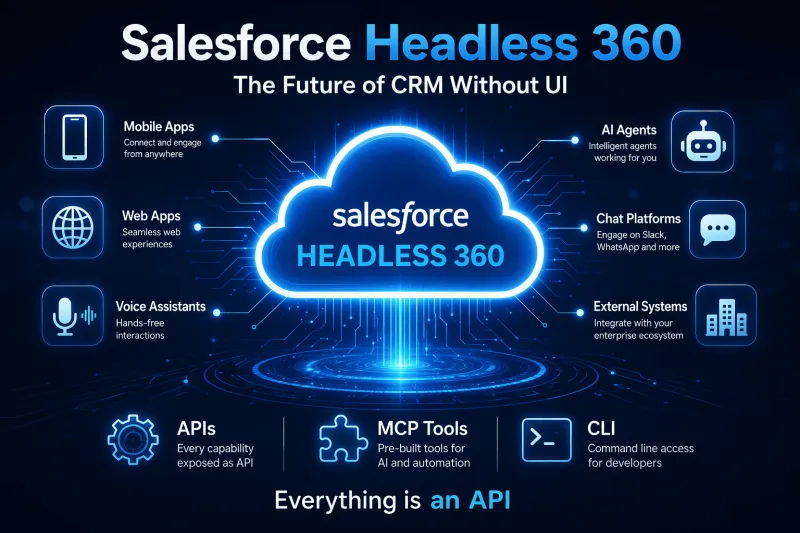
Salesforce Headless 360 explained — what headless CRM means, how APIs and data cloud power it, and what it changes for developers and businesses.
Questions, corrections or your own experience — they all help the next reader.