Top 30 Salesforce CPQ Interview Questions & Answers
Thirty Salesforce CPQ interview questions with answers — quote-to-cash, products, bundles, price rules, product rules, approvals and contracts.
Queueable vs Batch Apex vs @future: limits, use cases, chaining and callouts compared, so you can pick the right asynchronous Apex every time.
"Should I use Queueable, Batch Apex, or Future?"
This is one of the most common questions every Salesforce developer asks at some point. While all three are used for asynchronous processing, they serve different use cases, limits, and patterns.
We’ll break down when to use each async tool, with real code examples, performance comparisons, and gotchas I’ve learned from years in the trenches.
Asynchronous Apex allows you to run long-running operations in the background, freeing up system resources and improving user experience.
Common use cases
If you've ever hit a "Too many SOQL queries" or "CPU time limit exceeded" error, you already know why asynchronous processing is a big deal. Salesforce enforces strict governor limits to keep shared resources stable, but that also means you can't always get everything done in a single transaction.
That's where @future, Queueable, and Batch Apex come in. They're all tools for handling logic after the current transaction finishes?-?but they serve very different purposes.
| Feature | @future | Queueable Apex | Batch Apex |
|---|---|---|---|
| Governor Limits | Same as caller | Higher limits | Highest limits |
| Chaining | No | Yes | No |
| Statefulness | Stateless | Stateful | Stateful |
| Record Scope | 1 ID/record | 1 ID/record | 50K–50M records |
| Best For | Quick async ops | Complex async chains | Large data volumes |
@future: The Simple (But Limited) OptionBefore Queueable Apex existed, @future was the go-to for async work. It still has its place, but it's limited.
When to Use
public class AccountService {
    public static void updateAccount(Id accountId) {
        // Immediate DML
        Account acc = [SELECT Id, Name FROM Account WHERE Id = :accountId];
        acc.Name += ' (Updated)';
        update acc;

        // Async callout
        makeCallout(acc.Id);
    }

    @future(callout=true)
    public static void makeCallout(Id accountId) {
        HttpRequest req = new HttpRequest();
        req.setEndpoint('https://api.example.com/update');
        req.setMethod('POST');
        new Http().send(req); // Callout won't block main transaction
    }
}
Output
Limitations
@future from it)Queueable is like Future++ — it gives you more control, supports chaining, and can pass complex objects.
When to Use
@future but needs more flexibilitypublic class AccountEnricher implements Queueable, Database.AllowsCallouts {
private List<id> accountIds;
// Constructor preserves state
public AccountEnricher(List<id> accountIds) {
this.accountIds = accountIds;
}
public void execute(QueueableContext ctx) {
// Step 1: Enrich account data
List<account> accounts = [SELECT Id, Website FROM Account WHERE Id IN :accountIds];
for (Account acc : accounts) {
acc.Industry = inferIndustry(acc.Website);
}
update accounts;
// Step 2: Chain a follow-up job
if (!accounts.isEmpty()) {
System.enqueueJob(new ERPNotifier(accountIds)); // One chain allowed
}
}
private String inferIndustry(String website) {
if (website == null) return 'Other';
if (website.contains('.edu')) return 'Education';
if (website.contains('.tech')) return 'Technology';
return 'Other';
}
}
</account></id></id>Never heard of a trigger handler? Here’s my guide on how to set one up.
Trigger Handler Integration
public class AccountTriggerHandler {
    public static void handleAfterInsert(List<account> newAccounts) {
        List<id> accountIds = new List<id>();
        for (Account acc : newAccounts) {
            if (acc.Website != null) {
                accountIds.add(acc.Id);
            }
        }
        if (!accountIds.isEmpty()) {
            System.enqueueJob(new AccountEnricher(accountIds));
        }
    }
}
</id></id></account>
Then, in your trigger:
trigger AccountTrigger on Account (after insert) {
 AccountTriggerHandler.handleAfterInsert(Trigger.new);
}
Limitations
In a synchronous context (like a trigger or controller), you can enqueue up to 50 Queueable jobs per transaction.
In an asynchronous context (like another Queueable or Batch job), you can enqueue only one job per transaction.
You can chain Queueable jobs (job ---> job ---> job…), but each job can only enqueue one child.
There’s no hard system limit on the number of chained jobs — except in Developer Edition orgs, where you’re capped at a max chain depth of 5 jobs total.
Key Advantages Over @future
Warning: You can only chain one job per execution in async contexts.
Batch Apex is made for large datasets — up to 50 million records. It’s your go-to tool for nightly jobs, data cleanup, and more.
When to Use
Each execute method gets its own transaction, so governor limits are reset per chunk — but that also means it's slower and more transactional than Queueable.
global class AccountCleanupBatch implements Database.Batchable<sobject> {
    global Database.QueryLocator start(Database.BatchableContext bc) {
        // Query all accounts needing cleanup
        return Database.getQueryLocator(
            'SELECT Id, LastActivityDate FROM Account WHERE LastActivityDate < LAST_N_DAYS:90'
        );
    }

    global void execute(Database.BatchableContext bc, List<account> scope) {
        // Delete stale accounts
        delete scope;
    }

    global void finish(Database.BatchableContext bc) {
        // Optional: Send email report
        Messaging.SingleEmailMessage mail = new Messaging.SingleEmailMessage();
        mail.setSubject('Batch Complete');
        Messaging.sendEmail(new List<messaging.email>{mail});
    }
}
</messaging.email></account></sobject>
Execution
// Run batch (200 records at a time)
Id batchId = Database.executeBatch(new AccountCleanupBatch(), 200);
Output
Batch-Specific Benefits
Performance Tip: Test different batch sizes (start with 200) to balance speed vs. limits.
Lesson 1: @future Deadlocks
Problem: Calling @future from a trigger can hit async limits (max 50 per transaction).
Fix: Use Queueable instead—it has higher limits.
Problem: Chaining too many jobs fails in Dev Edition orgs (max 5 chains).
Fix: Track depth in a custom object or setting.
Problem: Long-running batches fail at 10 minutes per execute().
Fix
| Scenario | Best Tool | Why |
|---|---|---|
| Send welcome email on contact insert | Future | Lightweight, fire-and-forget |
| Update related records in chain | Queueable | Can chain and track |
| Clean up 1 million old records | Batch Apex | Handles massive volumes |
| Process complex input objects | Queueable | Supports custom types |
| Monitor job status in UI | Queueable / Batch | Shown in Apex Jobs tab |
Test: Process 10,000 Account records
| Method | Time | Governor Limit Safety |
|---|---|---|
| @future | Fail | Poor (max 50 calls/transaction) |
| Queueable | 5 min | Good (higher limits) |
| Batch (size 200) | 3 min | Best (limits reset per batch) |
Salesforce gives us three main tools for async logic — and each one has its place:
@future for quick, simple jobs.The best developers don’t just know the syntax — they know when and why to reach for each tool.
Your Turn:
Which async tool saved your project? Share your story below!

One short email when we publish something new — interview questions, Salesforce guides and career tips. No spam, unsubscribe in one click.
Thirty Salesforce CPQ interview questions with answers — quote-to-cash, products, bundles, price rules, product rules, approvals and contracts.
The 30 Salesforce Apex interview questions asked most — collections, SOQL, DML, governor limits, triggers, async Apex and testing — with answers.
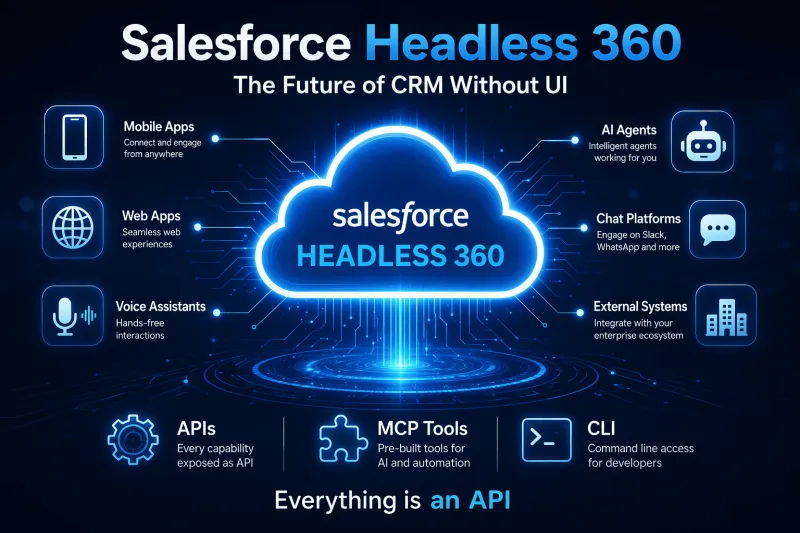
Salesforce Headless 360 explained — what headless CRM means, how APIs and data cloud power it, and what it changes for developers and businesses.
Questions, corrections or your own experience — they all help the next reader.