Complete Salesforce Order of Execution (Latest Version)
Learning Content
Last updated: October 24, 2026
Complete Salesforce Order of Execution
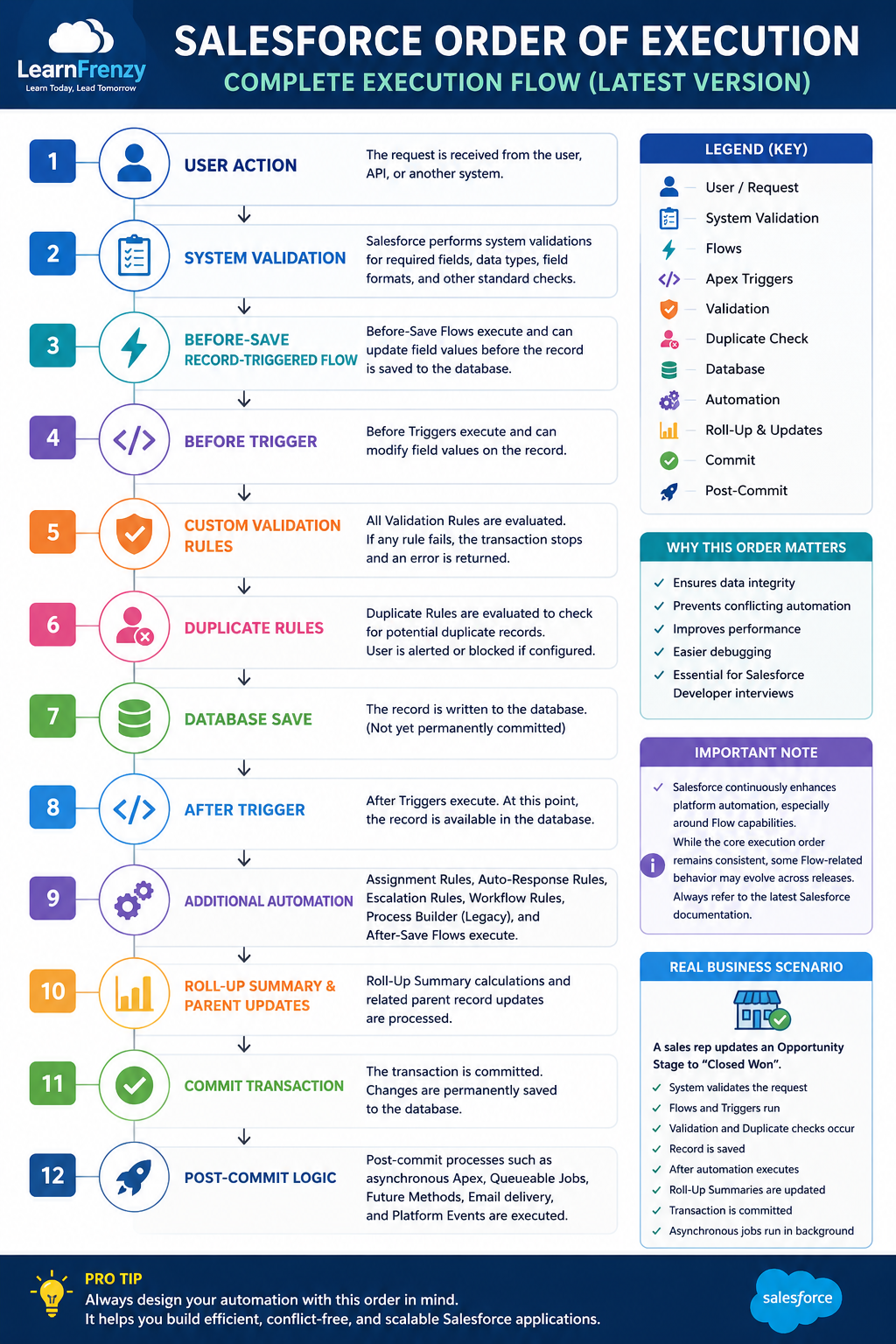
When a record is created, updated, or deleted in Salesforce, the platform follows a well-defined sequence of operations before the transaction is completed. This sequence is called the Salesforce Order of Execution.
Understanding the execution order helps developers predict how Validation Rules, Flows, Apex Triggers, Workflow Rules, Assignment Rules, Roll-Up Summaries, and other automation interact during a single transaction.
💡 LearnFrenzy Insight
Think of building a house.
You cannot paint the walls before constructing them.
Likewise, Salesforce performs each operation in a specific sequence. Skipping or changing that order would produce inconsistent results.
High-Level Execution Flow
User Clicks Save
        │
        ▼
System Validation
        │
        ▼
Before-Save Flow
        │
        ▼
Before Trigger
        │
        ▼
Custom Validation Rules
        │
        ▼
Duplicate Rules
        │
        ▼
Record Saved
        │
        ▼
After Trigger
        │
        ▼
Automation
        │
        ▼
Roll-Up Processing
        │
        ▼
Commit
        │
        ▼
Post-Commit Logic
Complete Order of Execution
| Step | Platform Activity |
|---|---|
| 1 | The request is received from the user, API, or another process. |
| 2 | System validation checks required fields, field formats, and other basic validations. |
| 3 | Before-Save Record-Triggered Flows execute (when applicable). |
| 4 | Before Triggers execute. |
| 5 | Custom Validation Rules are evaluated. |
| 6 | Duplicate Rules are evaluated if configured. |
| 7 | The record is written to the database (not yet permanently committed). |
| 8 | After Triggers execute. |
| 9 | Additional automation such as Assignment Rules, Auto-Response Rules, Escalation Rules, Workflow Rules, and applicable Flows may execute depending on the object and configuration. |
| 10 | Roll-Up Summary calculations and parent record updates are processed where applicable. |
| 11 | The transaction is committed to the database. |
| 12 | Post-commit logic such as asynchronous jobs, email delivery, and platform events continues after the transaction completes. |
Real Business Scenario
🏢 Business Example
A sales representative changes an Opportunity Stage to Closed Won.
During one transaction, Salesforce may:
- Run a Before-Save Flow to populate default values.
- Execute a Before Trigger to validate business rules.
- Evaluate Validation Rules.
- Check Duplicate Rules.
- Save the Opportunity.
- Execute an After Trigger to create related records.
- Run additional automation configured in the org.
- Commit the transaction.
- Start asynchronous processing such as Queueable Apex.
Why Understanding the Order Matters
| Without Understanding | With Understanding |
|---|---|
| Unexpected automation behavior. | Predictable application behavior. |
| Duplicate updates. | Cleaner automation design. |
| Difficult debugging. | Faster root-cause analysis. |
| Conflicting Flows and Triggers. | Well-coordinated automation. |
Important Note
Salesforce continuously enhances platform automation, particularly around Flow capabilities. While the core execution sequence remains consistent, some Flow-related behavior may evolve across Salesforce releases. Always consult the latest Salesforce documentation when implementing complex automation.
🎯 Interview Tip
A common interview question is: "Does a Before Trigger execute before or after Validation Rules?"
The correct answer depends on which validation is being discussed. Salesforce performs different types of validation at different stages of the transaction. Understanding the overall execution sequence is more important than memorizing isolated steps.
📌 Next Lesson
In the next lesson, we'll explore Before-Save Record-Triggered Flows in detail, including execution timing, performance benefits, real-world examples, and interview questions.
Practice What You've Learned
Test your understanding with these practice exercises